Moving from traditional pen-and-paper exams to a digital platform isn't just a "trend", it’s a necessity. Whether you are running a small coaching center, a large school, or a corporate training department, the goal is the same: efficiency, security, and accuracy.
However, choosing the right software can be overwhelming. Market mein itne saare options hain ki samajh nahi aata shuruwat kahan se karein. (There are so many options in the market that one doesn't know where to start.) To help you make the right choice, we have compiled a massive guide on the top features you must look for in online exam software, categorized for both the admin (the Paper Setter) and the student (the Test Taker).
Features for the Admin (Managing the Show)
The admin is the backbone of any educational institution. If the software is complicated for the admin, the whole system fails. A good platform should make the admin's life easier, not harder.
1. Advanced Question Bank Management
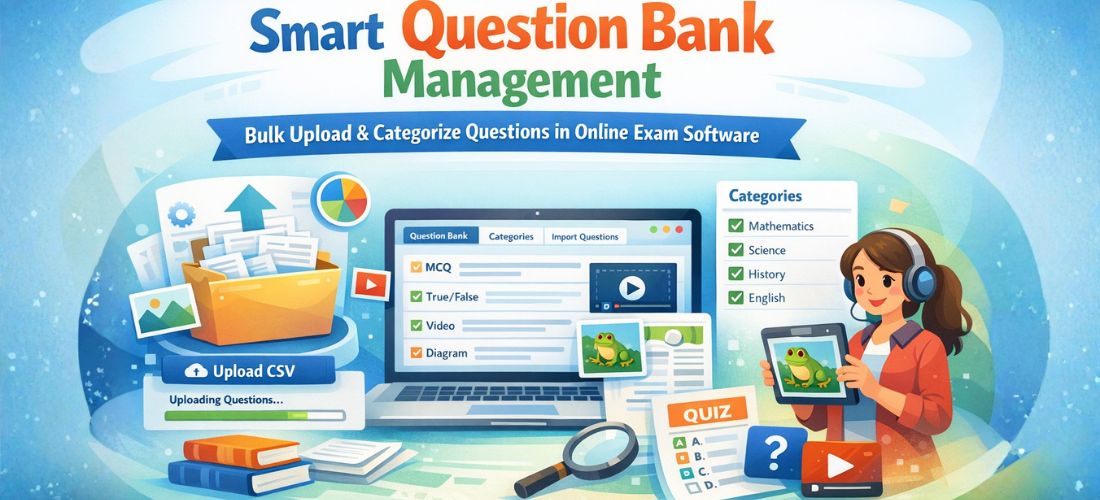
Imagine having to type 500 questions manually for a single mock test. Bohot bada sar-dard hai, haina? (A huge headache, right?) A top-tier software like Online Exam Pro allows you to:
- Bulk Import: Upload thousands of questions via Excel, CSV, or Word files in seconds.
- Question Categorization: Organize questions by subject, topic, and difficulty level (Easy, Medium, Hard).
- Multimedia Support: Insert images, mathematical formulas, and even videos into questions. This is crucial for subjects like Science, Maths, or English comprehension.
2. Robust Anti-Cheating (Proctoring) Tools
The biggest fear in online exams is cheating. Bacche toh tez hote hi hain! (Kids are always clever!) To prevent unfair means, look for these "Proctoring" features:
- Image Proctoring: The software takes random photos of the student through their webcam during the exam.
- Screen Freezing: Prevents the student from opening another tab or Google-ing the answers.
- Window Switching Alerts: If a student tries to switch windows, the system gives a warning or automatically submits the test.
- Question Shuffling: Even if two students are sitting next to each other, their Question 1 and Question 2 will be different.
3. Automated Result Generation & Deep Analytics
The days of manual checking are over. The software should provide:
- Instant Results: As soon as the student clicks "Submit," the score should be ready.
- Section-wise Analysis: Admins should see where students are struggling—is it Algebra or Geometry?
- Rank Generation: Automatically generate merit lists and percentile scores for competitive exams.
4. Scalability and Server Stability

What happens if 1,000 students log in at the exact same time? Server crash nahi hona chahiye. (The server shouldn't crash.) You need a platform that is hosted on secure, high-speed servers to handle "peak load" without lagging.
Features for the Student (The User Experience)
If the student is frustrated with the technology, they won't perform well in the exam. The software must be "invisible"—it should just work.
1. Clean and Intuitive Interface (UI/UX)
The exam screen should be clutter-free. Students should clearly see:
- The current question.
- A "Palette" showing which questions are answered, skipped, or marked for review.
- A clear "Next" and "Previous" button.
- A visible timer so they can manage their time.
2. Mobile-First Approach
Let’s be honest: not every student has a high-end laptop. Many use their smartphones or tablets. The software must be Responsive, meaning it should adjust its size and layout perfectly for a 6-inch mobile screen. If you want to see how a smooth interface looks, you should check out the Demos here.
3. The "Mark for Review" Feature
Students often get stuck on a tricky question. Instead of wasting time, they should be able to "Mark for Review" and move forward. At the end of the exam, they can easily jump back to those specific questions with one click.
4. Low Data Usage & Auto-Save
In many areas, internet connectivity is unstable. Network chala gaya toh kya hoga? (What if the network goes?) A good software:
- Saves Progress Locally: Every time a student selects an option, it should be saved instantly.
- Resumes from where they left: If the browser closes, the student should be able to log back in and continue from the same question with the remaining time intact.
Why Choose BuyExamSoftware?
Now that you know what to look for, let’s talk about a solution that ticks all these boxes. BuyExamSoftware has designed two specific versions to cater to different needs.
1. Online Exam Lite: For Startups and Small Institutes
If you are just starting your coaching journey or if you are an individual tutor, you don't need 1000 complex features. You need something simple and reliable.
Online Exam Lite is designed for you. It covers the basics of test creation, student management, and result reporting at a very affordable price point. Kam budget mein best quality. (Best quality in a low budget.)
2. Online Exam Pro: For Schools, Colleges, and Big Brands
When you are dealing with thousands of students and high-stakes exams, you cannot compromise.
Online Exam Pro offers the "Big Guns." We are talking about AI-based proctoring, detailed graphical reports, white-labeling (your own logo and branding), and dedicated support. It is the complete "Digital Examination Suite." This online exam software source code is a smart investment.
The Impact of Going Digital
Why go through all this trouble? Because the benefits are massive:
- Cost Saving: Think about the money spent on paper, printing, and physical invigilators. Online software pays for itself within a few months. (Avoid hidden costs of SaaS here).
- Environment Friendly: Paper bachao, ped bachao. (Save paper, save trees.) Going digital is the eco-friendly way to conduct assessments.
- Global Reach: With online software, your students don't have to be in the same city. You can sell your test series to students across the country via your shop!
- Data Security: Physical papers can be lost or leaked. Encrypted digital databases are much safer. Read our Privacy Policy.
Step-by-Step Guide: How to Get Started
Setting up your own online exam portal is easier than you think. Here is how you can do it with BuyExamSoftware:
- Step 1: Identify Your Needs. If you have under 100 students, go for Lite. If you have more, go for Pro.
- Step 2: Try the Demo. Never buy software without seeing it in action. Visit the Demo Page and play around with the admin and student panels.
- Step 3: Customization. Add your institute name, logo, and colors. This builds trust with your students. You can start in one day.
- Step 4: Upload Your Content. Use the bulk import tool to move your existing question bank into the new system.
- Step 5: Go Live! Schedule your first test and watch the system handle everything from login to results automatically. Check your orders here.
Conclusion
The shift to online education is permanent. To stay ahead of the competition, you need tools that are modern, secure, and user-friendly. Don't let technical hurdles stop you from growing your institute.
Whether you choose the Online Exam Lite for its simplicity or the Online Exam Pro for its power, you are taking a step toward a smarter, more professional way of teaching.
Ab aur intezar mat kijiye. (Don't wait any longer.) The future of exams is here, and it’s digital.
Ready to see it in action? Explore our Live Demos today and experience the future of assessments firsthand!
Experience the Future
Visit BuyExamSoftware.com today and transform your coaching center.